Rapid Data Binding
The RAPID Data Binding application is a sample application which shows how to bind RAPID data variables with controls such as Data Grid.
Download
Click here to download
User Interface
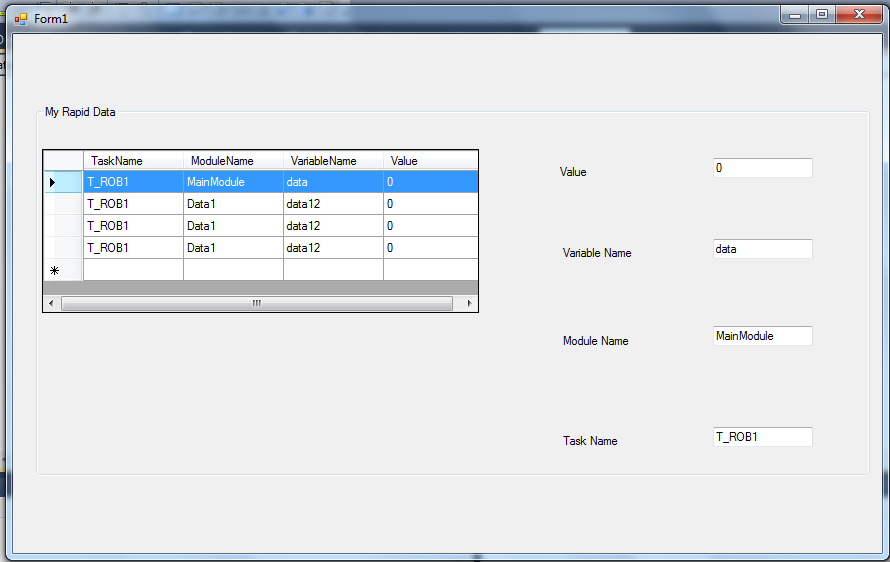
This sample application uses these controls – Group Box, Data Grid, Labels and Text Boxes.
As the above user interface image shows, we are binding a set of RAPID data variables to a data grid control. When a row is selected, its particulars are displayed on the right.
This is a very simple application which binds a few RAPID data variables to a data grid. So if new variables are created, you can follow similar steps in the code to bind them to the data grid. Also, the modification of variables in the data grid will not affect the actual RAPID data variables.
How to create a Rapid Module
To create a RAPID module:
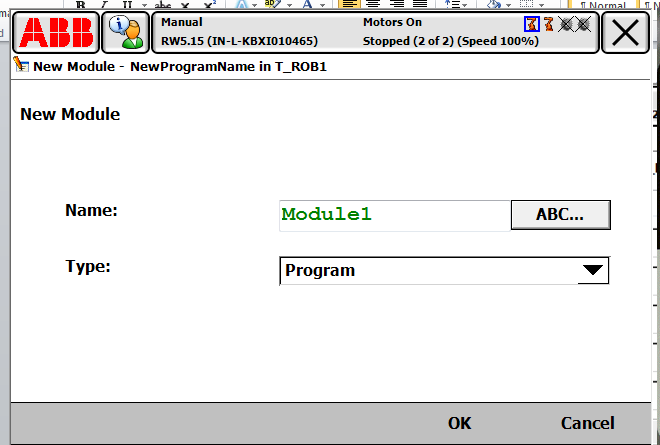
- Go to “Program Editor” >> “Modules” >> “File” >> “New Module…”
- Create a module “Data1”, like “Module1” in below image.
How to create Rapid Data
To create RAPID Data:
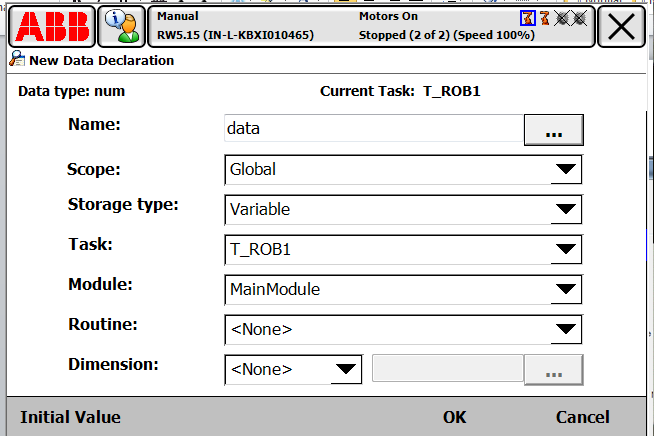
- Global Persistent RAPID data "data" of data type "num" in task "T_ROB1" of "MainModule" module.
- Global Persistent RAPID data "data12" of data type "num" in task "T_ROB1" of "Data1" module.
How to run the program
Create an App.config as shown in screen shot below.

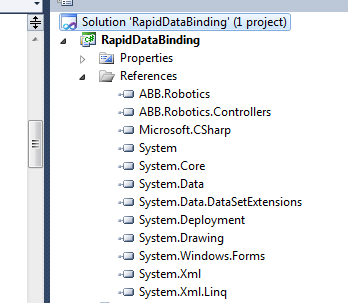
Ensure that the references of ABB.Robotics and ABB.Robotics.Controllers are correct.